

RenderStream
RenderStream is compatible with Unreal Engine, Unity, TouchDesigner and Notch with the rendering performed on render nodes. Sequencing of the third-party render engine can be accomplished via the RenderStream Layer in Designer.
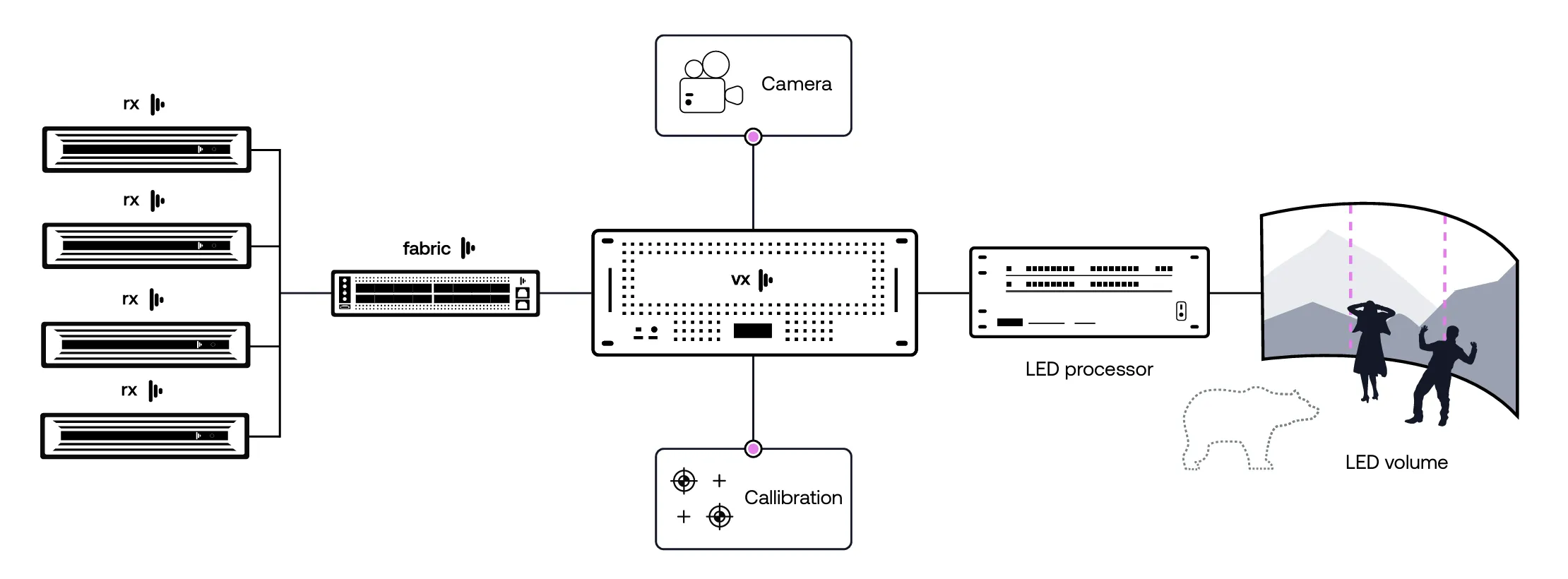
Uncompressed vs. Compressed
Section titled “Uncompressed vs. Compressed”RenderStream Uncompressed requires the use of a Mellanox network interface to stream uncompressed, 10bit video data. To test RenderStream Uncompressed appropriately, access to multiple machines and the networking equipment specified is required. Testing RenderStream Uncompressed also requires both a RenderStream Send License and a RenderStream Uncompressed License.
RenderStream Compressed provides consistent content quality with advanced H.265 compression. You can now choose high frequency compression, and ensure that even the finest details of your content are shown via our superior, reliable networking.
Starting with r34.2, there is a network video improvements prerelease for RenderStream Uncompressed that can be enabled.
Cluster Rendering
Section titled “Cluster Rendering”Here are just some of the benefits of using :
- Cluster Rendering allows you to span your render engine content over more than one Disguise server by scaling out real-time content up to an unlimited capacity.
- Each machine will let you render a fragment of your final content frame to increase the render power and get your content onto your displays at your desired quality.
- Use Cluster Rendering to render real-time content of the highest quality, detail and framerate without worrying about GPU power.
Cluster Rendering is configured within Disguise Designer using the RenderStream Layer.
Related links
Section titled “Related links”- RenderStream Overview: How RenderStream plugs partner applications, such as real-time render engines, into Disguise, with remote and local rendering.
- RenderStream Local: Render and output on the same machine as Designer, without separate render nodes.
- RenderStream Networking: Network requirements for RenderStream, including compressed and uncompressed transport, bandwidth, and network interface card, SFP and fibre guidance.